.png)
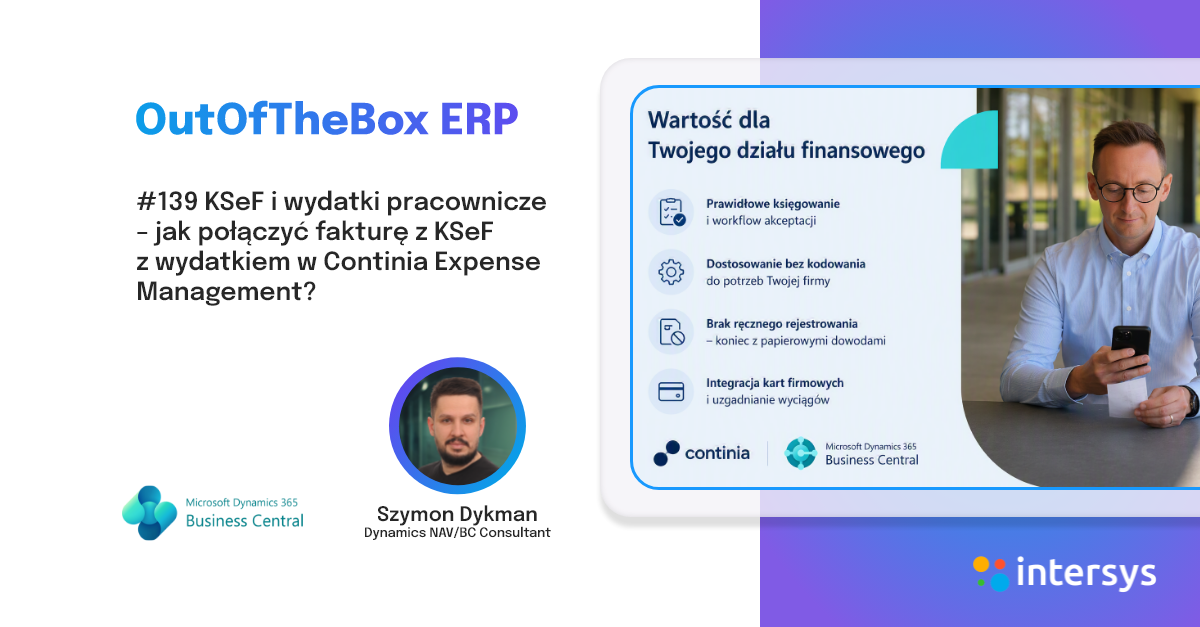
In response to legislative changes introduced by the Ministry of Finance regarding the submission of JPK PD declarations, IT Integro has developed a new feature that enables the generation of JPK KR PD declarations — designed for users of Microsoft Dynamics 365 Business Central and Polish Localization. In this post from the OutofTheBox series, we will present how this functionality works in practice.
What is JPK KR PD?
The JPK-KR-PD (Accounting Books – Income Tax) structure is a new element of the JPK system, designed for the electronic transmission of information from accounting books in the context of income tax settlement. Its purpose is to streamline tax procedures and increase financial transparency.
How does it work in practice?
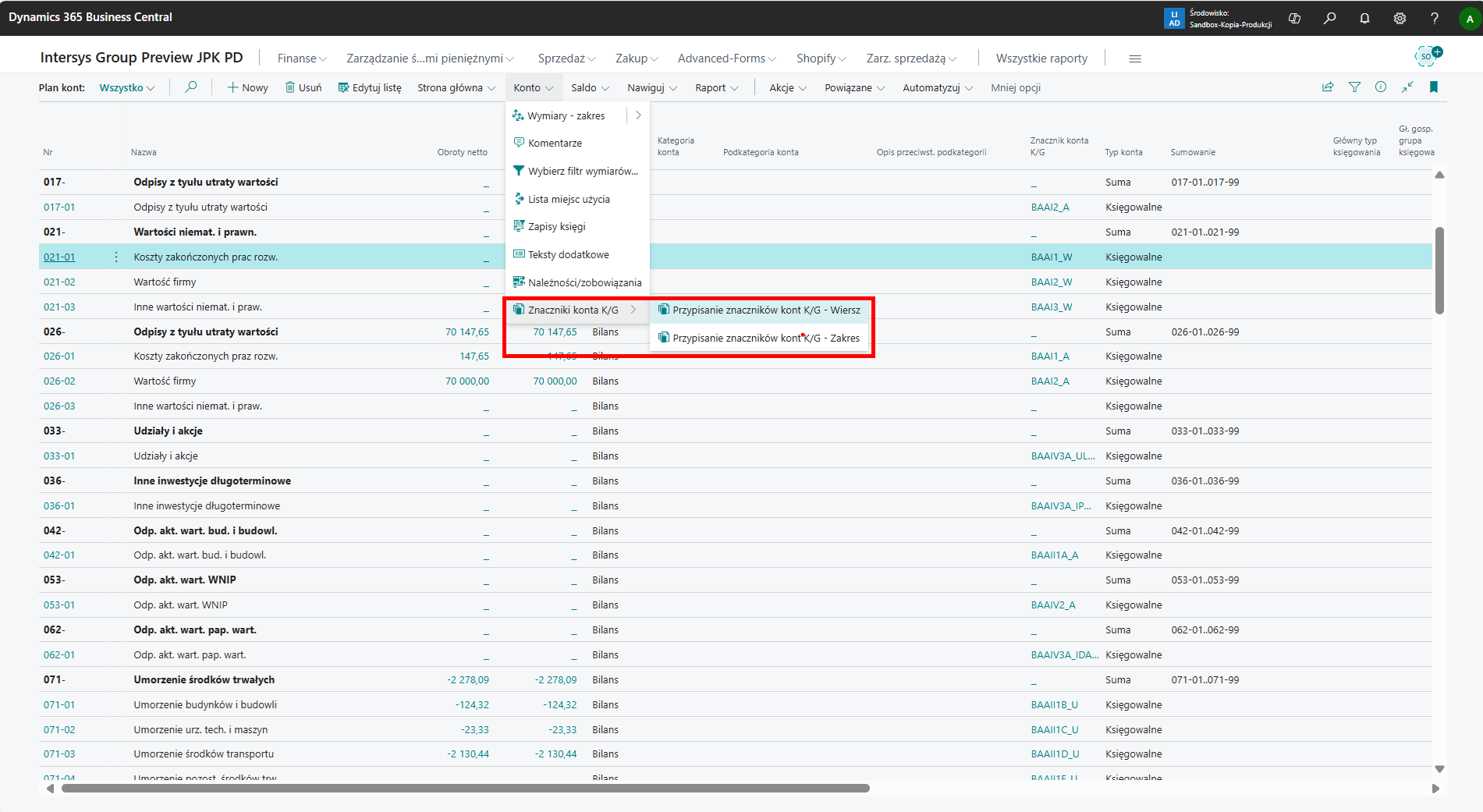
1. Assigning tags to accounts and configuring the system.
Each account of the "Accountable" type must be assigned at least one account tag. This can be done for each account separately, but also for a range of selected accounts.
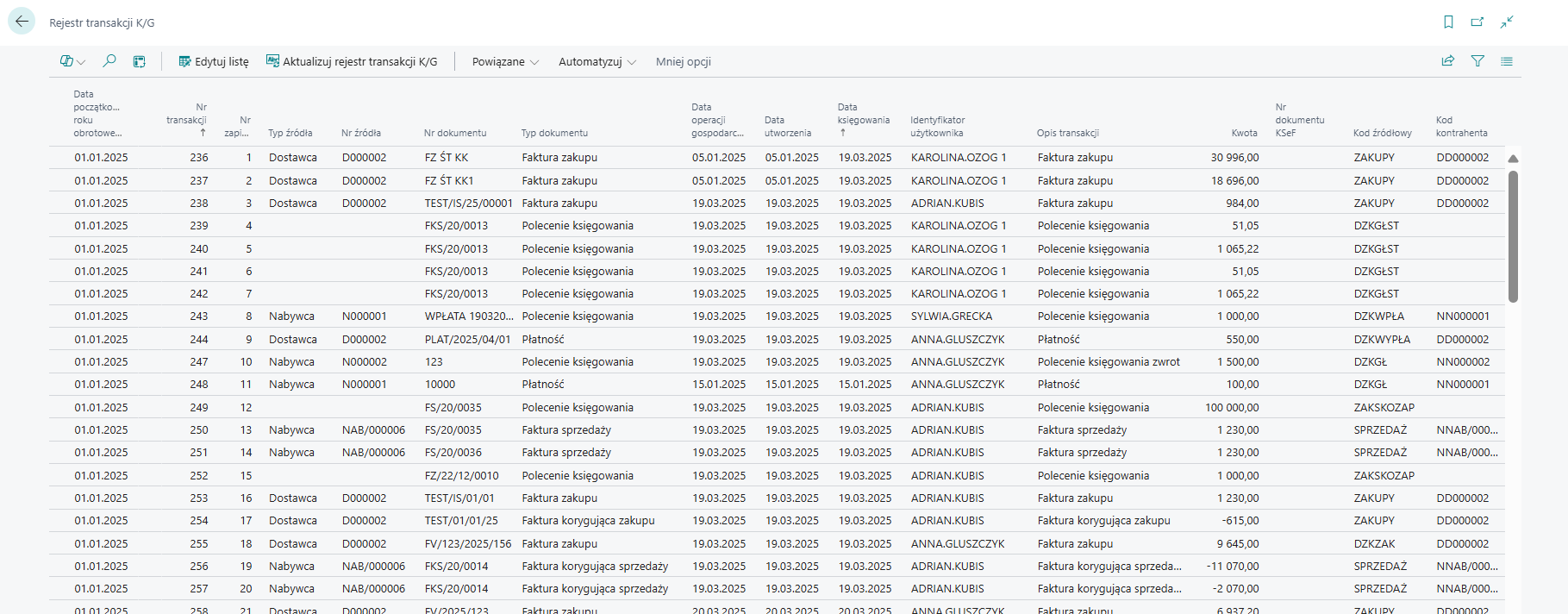
You should also configure the system and generate the "K/G transaction register" table corresponding to the Journal node in the JPK KR PD declaration.
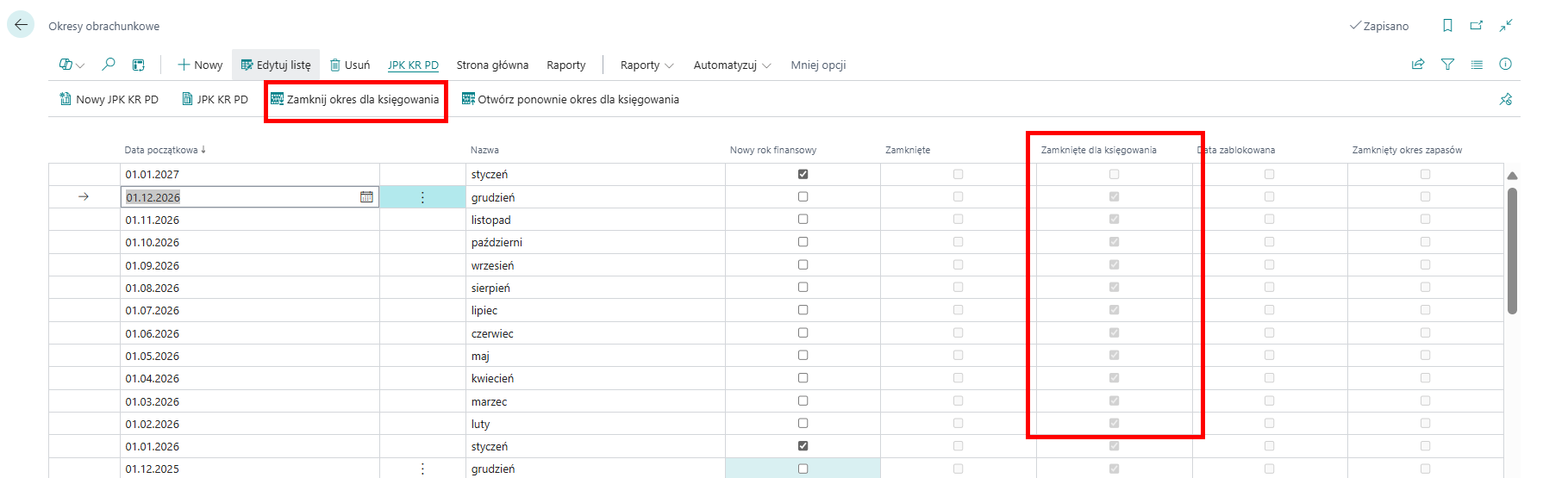
2. Closing the accounting period for posting.
Closing the accounting period for posting is necessary to approve and export the generated declaration.
3. Creation of a new JPK KR PD declaration and its calculation.
After closing the accounting period, select "New JPK KR PD" to open a file for a new declaration. After opening the page, you can create accounting periods, i.e., periods into which the declaration will be divided into partial files.
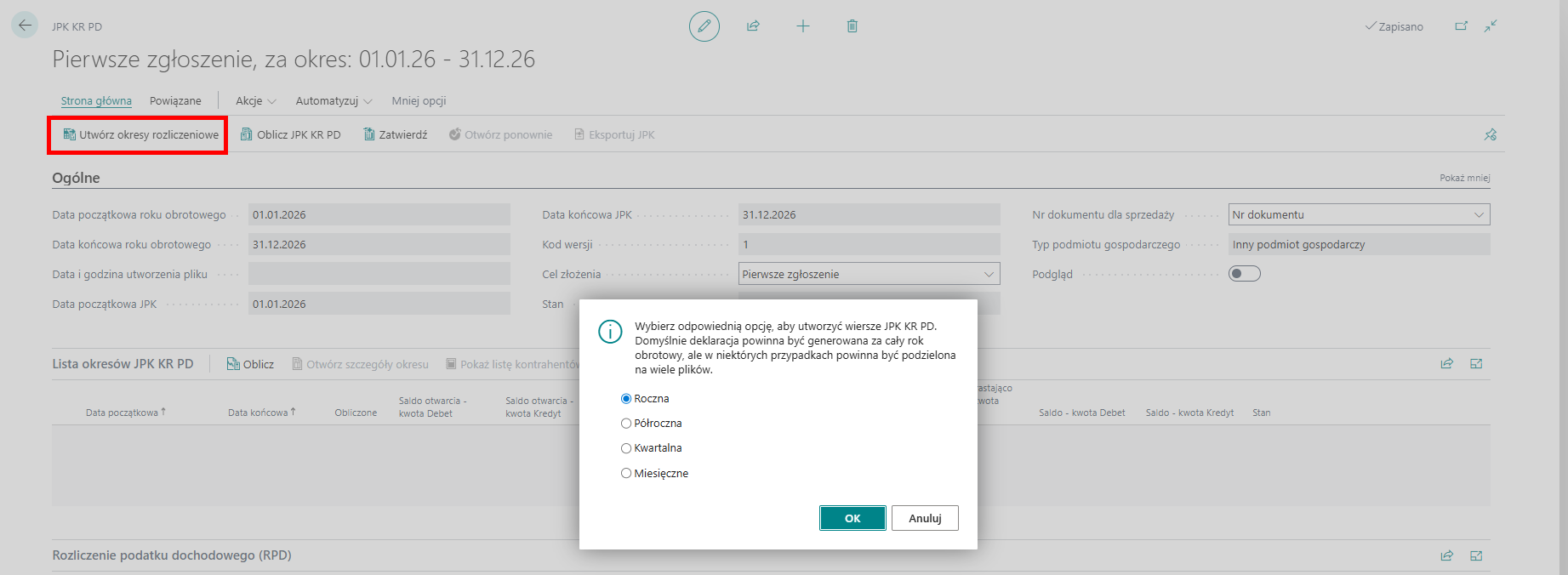
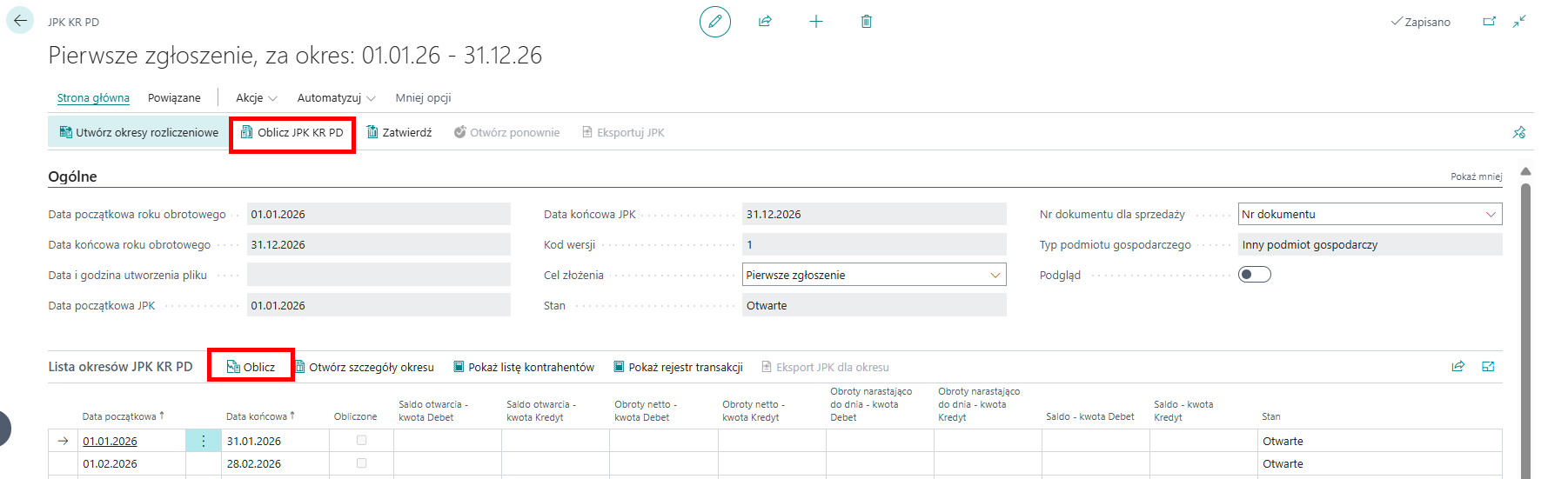
After creating periods for declarations, we need to calculate the JPK KR PD declaration. We can do this separately for individual periods or collectively for the entire declaration.
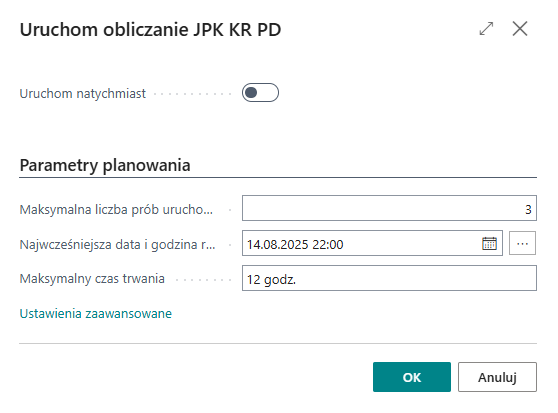
The system also allows you to schedule the calculation of declarations based on data volume and the possibility of long execution times.
4. Approve and export the data.
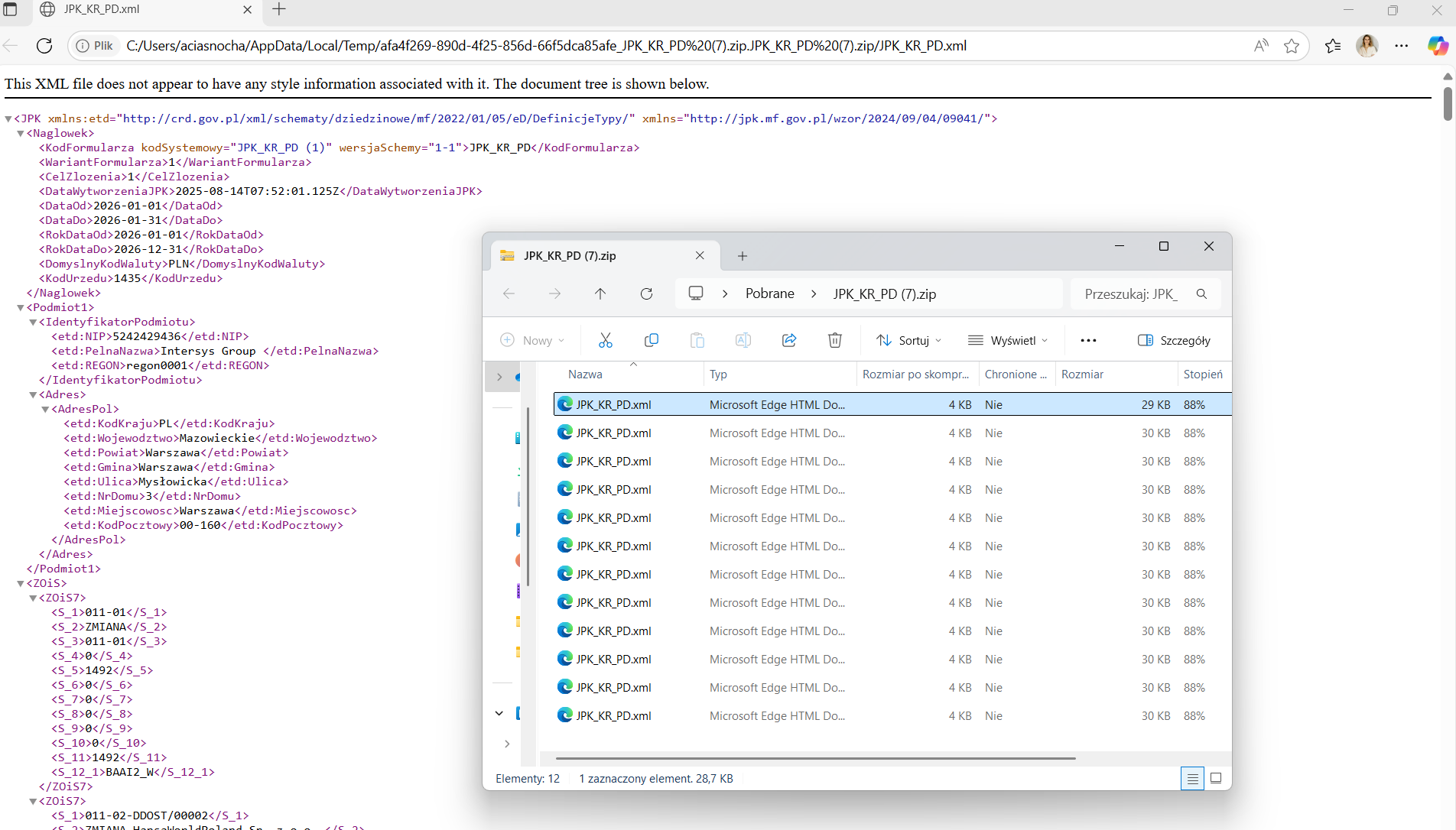
After calculating the declaration and verifying the data by users, the declaration must be approved and then exported. In this step, we also have the option of doing this either for each period separately or for the entire declaration together into a .zip file.
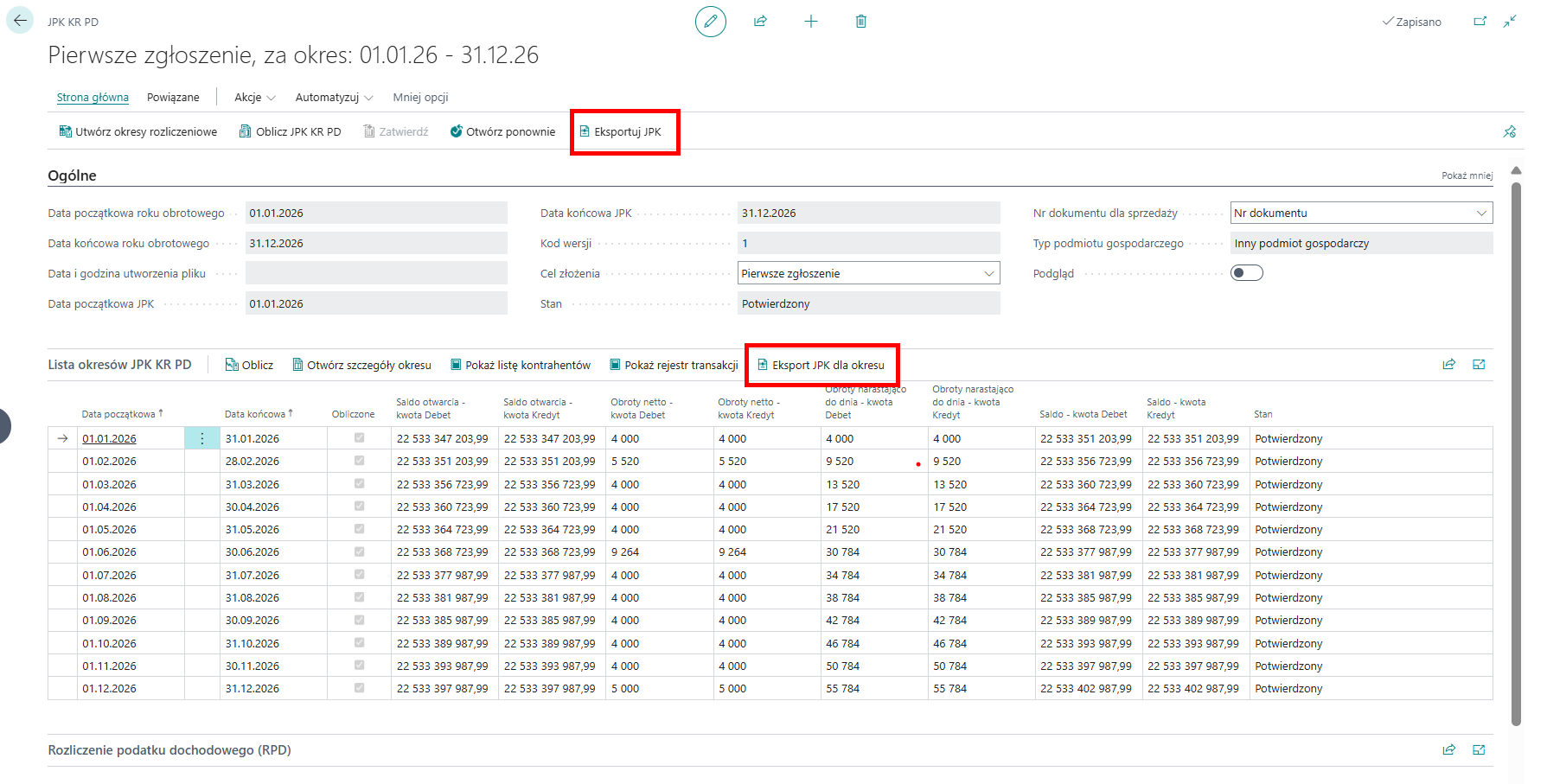
The exported files should be sent to the Ministry of Finance gateway.
In summary, Microsoft Dynamics 365 Business Central is fully prepared for the changes introduced by the Ministry of Finance regarding JPK KR PD. If you would like to learn more about this functionality or implement it in your installation, please contact sales@intersys.pl!

.png)